
Playback that gets out of the way
HDR and Dolby Vision where your device supports it, subtitle and audio track pickers that open over the picture, and resume that actually resumes.
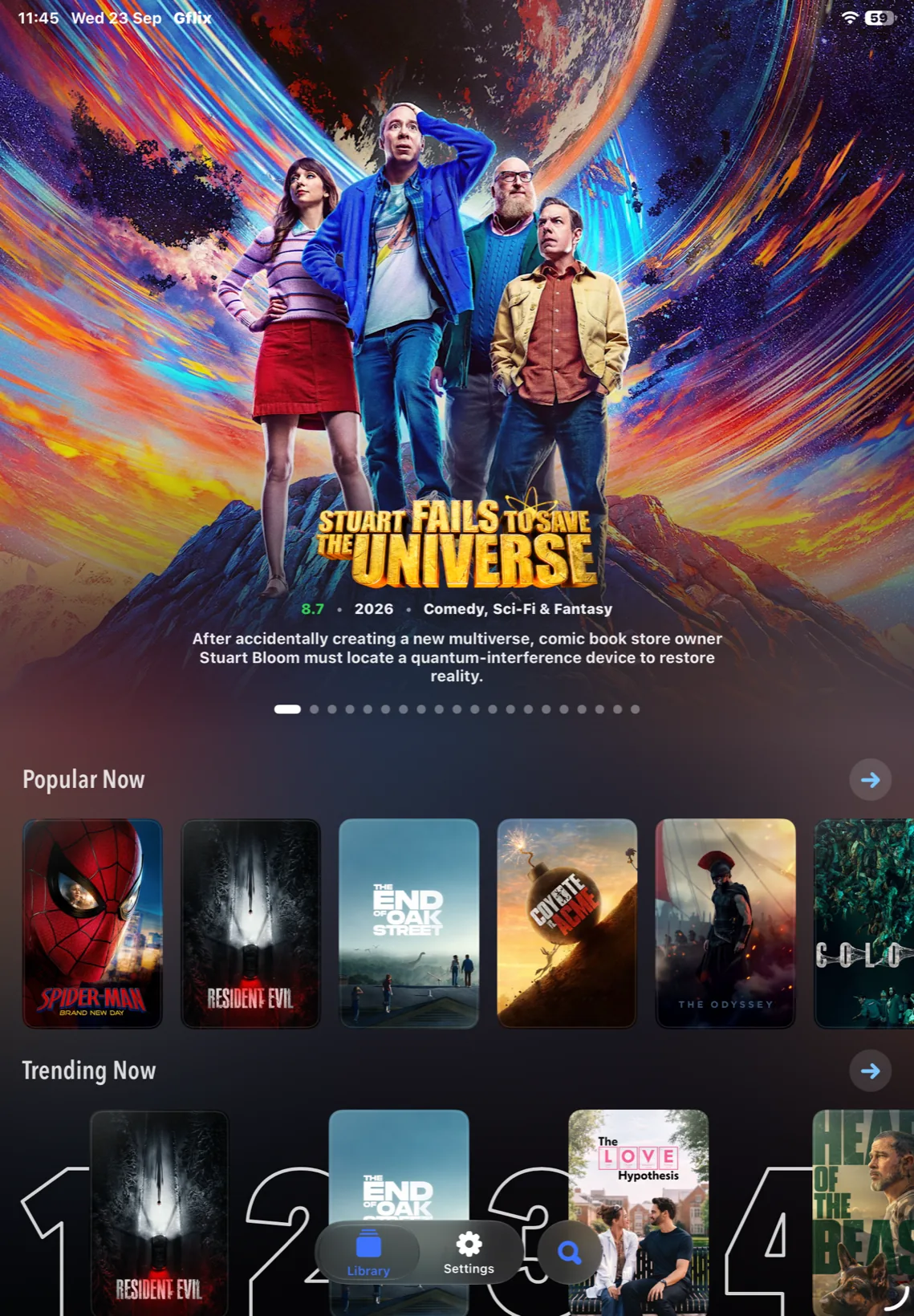
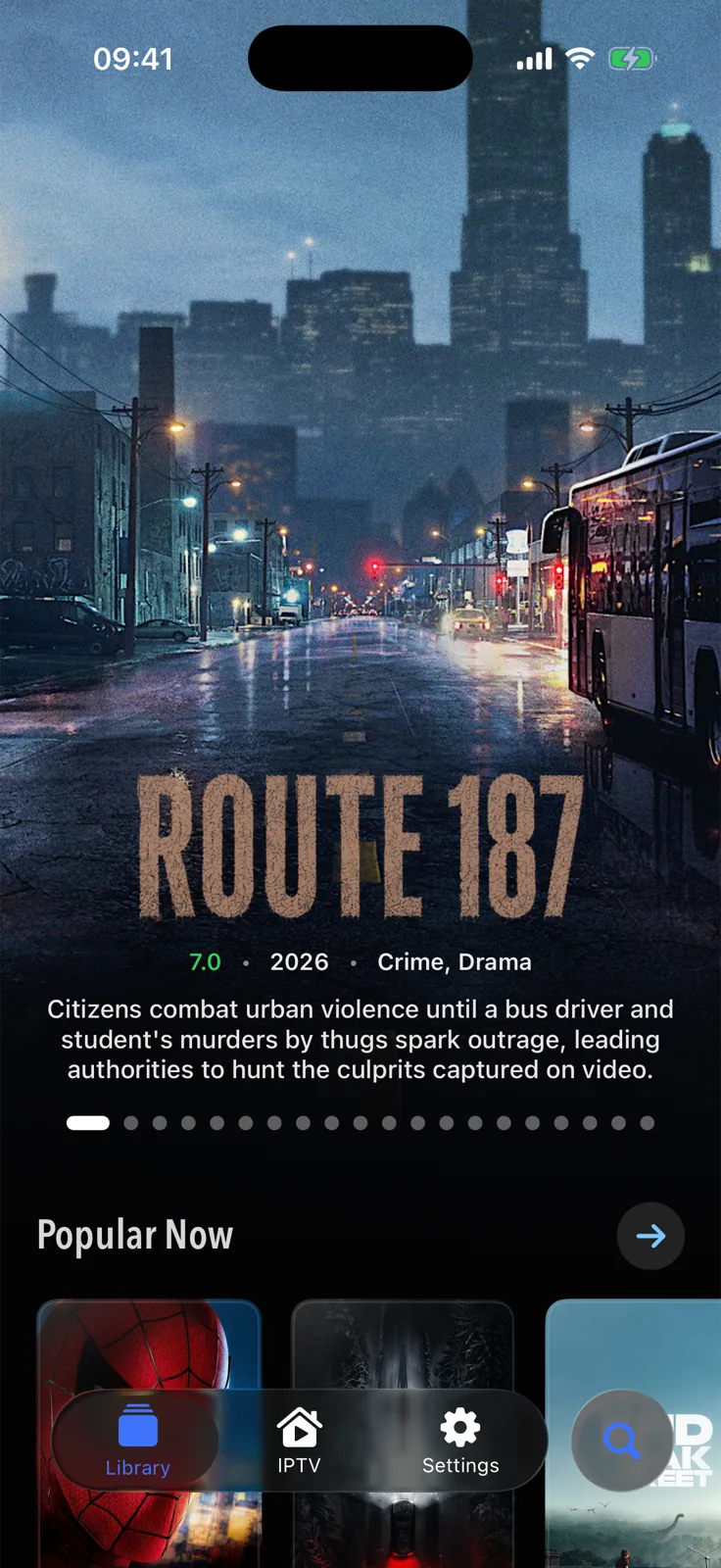
Gflix brings your playlists and your media servers into a single player for iPhone and iPad — real artwork, a guide that keeps up, and playback that does not get in the way. Apple TV is on the way.
Add a playlist, connect a media server, then stop thinking about which is which. Gflix merges them into one library, lists every copy of a channel on every source, and plays the one most likely to work.
Living room playlist
Playlist · 1,284 channels
Home server
Media server · 612 films · 84 series
Sports pack
Playlist · 96 channels
Add another source
+The programme guide loads in one motion and stays there — hours of schedule you can scroll through without waiting on a spinner, with what is on now always a glance away.
Anything Gflix can name gets its own poster and backdrop — not whatever image a server happened to store. A film looks like a film, a series looks like a series, and a shelf looks like something you want to browse.
Connect Trakt, SIMKL or MDBList and what you watch here turns up there. What you watched before you arrived turns up here. Nothing is stranded in one app.
Trakt
Scrobbles as you watch
SIMKL
Lists and history, read-only
MDBList
Lists and ratings, read-only
Everything stays in step
No menus to learn and nothing to configure before the first thing plays. What you set up once, you never think about again.
HDR and Dolby Vision where your device supports it, subtitle and audio track pickers that open over the picture, and resume that actually resumes.
Pick a film up on the phone and finish it on the TV. Progress follows you across every device signed into the same library.
Download an episode before a flight and it is there when the signal is not — queued in the background, stored where you decide.
Show, hide, lock or favourite anything. Reorder the shelves on the home screen so the rows you use are the rows you see first.
One field across every source you have added — channels, films, series and episodes, found in the same list.
Prefer another player? Hand any stream to the third-party player you already use, straight from the detail page.
iPhone and iPad today, sharing your library, your progress and your arrangement. Apple TV is in the works.
The whole library in a pocket, with a tab bar you can reach one-handed.
Wider shelves, a bigger guide, and playback that turns the screen for you.
Built for the remote in your hand and the screen across the room. In the works.
No tiers that hold a feature back, and nothing metered. The only choice is how you would rather pay for it.
Gflix is in TestFlight right now, and the beta is free. These are the prices at launch.
€1.99a month
The whole app, month to month, with nothing to commit to.
€14.99a year
Two months and change cheaper than paying monthly. The one most people want.
€39.99paid once
Buy it once and stop thinking about it. Pays for itself in under three years.
One purchase covers iPhone and iPad, and Apple TV when it lands. Gflix is the player — the channels, films and series are whatever you bring to it.
“Placeholder review — replace with a real one before launch.”
“Placeholder review — replace with a real one before launch.”
“Placeholder review — replace with a real one before launch.”
“Placeholder review — replace with a real one before launch.”
If the answer you need is not here, the Discord is the fastest way to reach us.
No. Gflix is a player with no content of its own. You bring your own playlist or connect your own media server, and Gflix plays what you already have access to.
iPhone and iPad today, from one purchase, with your library and progress following you between them. Apple TV is in the works. A Mac version is not decided yet.
Gflix is in TestFlight first. Join from the download page, and you are on the same builds we are — with a way to send feedback straight back from the app.
Nothing while it is in TestFlight. At launch it starts at €1.99 a month, with a yearly price and a one-off lifetime purchase that work out cheaper — the figures are in the pricing section on the home page.
Gflix lists every copy of a channel across your sources, so try another copy first. If none play, the stream itself is likely down — open Settings › Diagnostics and send us what it reports.
Your sources, credentials and watch history stay on your devices and in your own iCloud account. Gflix has no account to sign up for and no server of ours in the middle.
Add a source, and everything you already pay for turns into one library worth browsing.